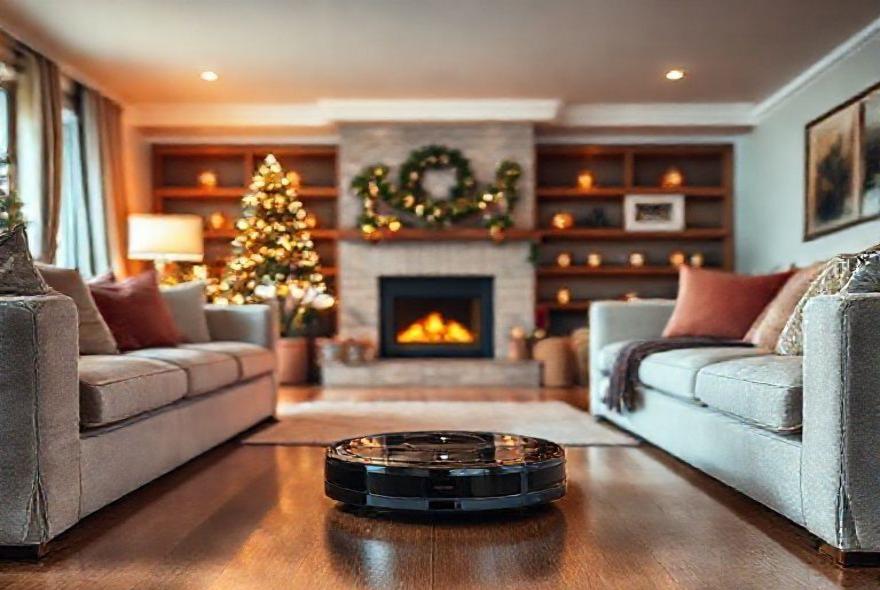
Welcome to the zany world of robot vacuum troubleshooting during the holidays! Ever watched as your once-diligent robo-helper transformed into a spinning, bumping mess? Yep, even the brainiest bots need a hand now and then. Our guide dives into the quirks of robot vacuums, offering solutions to ensure your floors stay clean amid the holiday hustle. We incorporate insights from various sources to make your dust-fighting companion ready for action. Let’s face it, your kitchen floor isn’t going to clean itself!
Key Takeaways
- Is your robot vacuum getting dizzy during the holiday hustle? Here’s how to reset its course.
- Battery-life looking more ‘Bah Humbug’ than merry? Learn the secret to keeping it charged and jolly.
- Struggling with a vacuum that loves gobbling up tinsel? Stop it’s festive feasting with these tips.
- Don’t let navigation issues turn your vacuum into a bumper car. Our guide steers you to smoother cleaning.
- Fed up with repeated error codes? Decode them like you’re unwrapping the perfect gift.
- Track down connectivity snags faster than finding the last present under the tree!
- Pet hair clogging up your vacuum’s holiday spirit? Here’s how to ditch the fuzz and keep the floors spotless.
Understanding Common Holiday Robot Vacuum Challenges
You know that moment when your trusty robot vacuum suddenly starts acting like it’s had too much eggnog? Holiday seasons bring unique challenges for our automated cleaning companions, and honestly, it’s not entirely their fault. Between twinkling lights draped everywhere, extra furniture for hosting, and those decorative rugs that weren’t there last month, your smart robot vacuum holiday cleaning routine can get thrown for a serious loop. We think the key is recognizing these seasonal hiccups before they turn into full-blown cleaning disasters.
- Decoration Obstacles: Christmas trees, holiday centerpieces, and seasonal décor create new navigation puzzles that can confuse even the smartest AI powered cleaning apps.
- Increased Debris Load: Pine needles, wrapping paper scraps, and cookie crumbs present different challenges than your vacuum’s usual dust and pet hair routine.
- Traffic Pattern Changes: More guests mean different foot traffic patterns, requiring adjustments to your automated holiday guest room prep schedules.
- Power Consumption Issues: Holiday lights and decorations can strain your electrical system, potentially affecting your vacuum’s charging capabilities.
- Temperature Fluctuations: Frequent door openings for guests can affect battery performance and sensor accuracy in ways you might not expect.
Navigation Problems and Quick Fixes
Nothing’s more frustrating than finding your robot vacuum stuck under the dining room table at 6 AM, beeping pathetically while you’re trying to prep breakfast for overnight guests. Navigation issues spike during holidays because our homes essentially transform overnight—suddenly there are gift boxes in corners, extra chairs everywhere, and holiday decorations that create obstacle courses worthy of American Ninja Warrior. Smart cleaning automation works best when it understands its environment, so let’s troubleshoot these navigation nightmares together.
- Update Room Maps: Most AI powered cleaning apps allow map editing—mark new furniture and decorations as temporary obstacles to prevent collision damage and stuck situations.
- Create No-Go Zones: Use your app to establish boundaries around Christmas trees, gift piles, or delicate holiday displays that shouldn’t be disturbed during cleaning cycles.
- Clear Pathways: Before each cleaning session, do a quick walk-through to move chairs, shopping bags, and temporary items that might block your vacuum’s usual routes.
- Sensor Cleaning: Holiday activities can coat sensors with extra dust or cooking residue—wipe them down weekly for optimal navigation performance.
- Lighting Considerations: Some vacuums rely on visual navigation, and twinkling holiday lights can interfere with their mapping systems, so consider timing cleaning sessions during daylight hours.
Battery and Power Issues During Peak Usage
Here’s something nobody warns you about—your robot vacuum’s battery performance can tank during holiday season, and it’s not just because the poor thing is working overtime. Between extra electrical loads from holiday decorations and increased cleaning demands from constant entertaining, power-related problems become the Grinch of automated cleaning systems. Voice controlled cleaning routines are fantastic until your vacuum dies mid-cycle right before your in-laws arrive, leaving half-cleaned floors and a very stressed host.
- Charging Station Access: Ensure holiday decorations don’t block your vacuum’s path to its charging dock—a common oversight that leads to dead batteries at the worst possible moments.
- Electrical Circuit Management: Holiday lights and extra appliances can overload circuits, affecting your vacuum’s charging efficiency and potentially causing power interruptions.
- Battery Conditioning: Cold weather and temperature fluctuations from frequent door openings can reduce battery capacity—consider allowing extra charging time during winter holidays.
- Schedule Adjustments: Reduce cleaning frequency slightly during peak holiday periods to preserve battery life for when you need it most, like pre-party cleanup sessions.
- Backup Power Planning: Know your vacuum’s battery life limits and plan cleaning schedules accordingly—better to run shorter, complete cycles than leave jobs half-finished.
Dealing with Holiday Debris and Filter Overload
Let’s talk about the elephant in the room—or should I say, the pine needles in the dustbin? Holiday debris is like kryptonite for robot vacuums because it’s so different from everyday household dirt. You’ve got everything from glittery craft supplies that stick to everything, to pine needles that somehow multiply faster than rabbits, to wrapping paper confetti that seems to regenerate every time you clean it up. Your poor vacuum’s filters and brushes are probably wondering what hit them, and honestly, a little extra TLC goes a long way during this demanding season.
- Frequent Dustbin Emptying: Holiday debris fills containers faster than normal household dust—check and empty your vacuum’s dustbin after every cleaning session during peak holiday periods.
- Filter Maintenance Schedule: Pine needles, extra cooking particles, and craft supplies can clog filters quickly, requiring more frequent cleaning or replacement than your normal maintenance routine.
- Brush Roll Attention: Tinsel, ribbon pieces, and long pine needles love to wrap around brush rolls—inspect and clean them weekly to prevent motor strain and reduced cleaning efficiency.
- Pre-Cleaning Preparation: Do a quick manual pickup of large debris, gift wrap pieces, and obvious obstacles before running automated cleaning cycles to reduce system strain.
- Deep Cleaning Sessions: Schedule monthly deep maintenance during holiday season—disassemble and thoroughly clean all removable parts to keep your vacuum running smoothly.
Smart App Connectivity and Control Issues
You know what’s incredibly annoying? When your AI powered cleaning apps decide to have connectivity issues right when you need them most. Picture this: you’re at the grocery store picking up last-minute appetizer ingredients, and you want to start a cleaning cycle so the floors are perfect when you return. You pull out your phone, tap the app, and… nothing. Connection failed. It’s like your vacuum suddenly developed selective hearing, and trust me, technology tantrums during holiday prep are nobody’s friend.
- WiFi Network Stability: Extra holiday devices can overload home networks—consider upgrading your router or creating a dedicated IoT network for smart home devices during busy periods.
- App Updates and Compatibility: Holiday season often coincides with software updates—ensure both your vacuum’s firmware and mobile app are current to prevent compatibility issues.
- Signal Interference: New holiday electronics, LED light displays, and temporary devices can interfere with WiFi signals, affecting your vacuum’s connectivity and responsiveness.
- Backup Control Methods: Know how to operate your vacuum manually when app connectivity fails—physical buttons and basic controls can save the day during tech emergencies.
- Network Troubleshooting: Restart your router and vacuum periodically during heavy usage periods to clear connectivity glitches and maintain reliable smart cleaning automation performance.
Optimizing Voice Control During Busy Holiday Periods
Voice controlled cleaning routines should be your secret weapon during chaotic holiday prep, but sometimes they feel more like a frustrating game of telephone with a robot that suddenly doesn’t understand English. The challenge is that holiday environments are noisier—there’s music playing, multiple conversations happening, kitchen appliances running, and general festive chaos that can interfere with voice recognition. We’ve all been there, shouting increasingly desperate commands at our devices while flour-covered hands wave frantically in the air.
- Noise Management: Temporarily reduce background music or move closer to your voice assistant when giving cleaning commands during noisy holiday activities like cooking or entertaining.
- Command Clarity: Speak slowly and clearly when your home is busy—holiday stress can make us rush our words, leading to misunderstood commands and cleaning frustration.
- Alternative Phrasing: If your usual commands aren’t working, try different wording—”clean the living room” might work better than “vacuum downstairs” during noisy periods.
- Strategic Timing: Give voice commands during quieter moments when possible, rather than competing with holiday music, cooking sounds, or guest conversations.
- Fallback Options: Always have your smartphone app ready as backup when voice control fails—manual app control ensures you can still manage automated holiday guest room prep effectively.
Maintenance and Care During High-Demand Seasons
Think of holiday season as your robot vacuum’s equivalent of Black Friday retail work—everything’s more intense, there’s higher demand, and a little extra care goes a long way toward preventing breakdowns. Your vacuum is working harder than usual, dealing with unfamiliar debris, navigating around temporary obstacles, and probably running more frequently than its normal schedule. Just like you might need extra coffee and self-care during stressful periods, your automated cleaning companion needs some additional TLC to keep performing at its best.
- Weekly Deep Cleaning: Increase your vacuum maintenance frequency during holidays—clean sensors, empty dustbins, and check for tangled debris more often than usual maintenance schedules suggest.
- Component Inspection: Look for wear signs on brushes, filters, and wheels that might indicate stress from increased holiday usage and different debris types.
- Preventive Care: Address small issues immediately rather than letting them compound—a slightly clogged filter can become a major problem when your vacuum is working overtime.
- Spare Parts Preparation: Keep extra filters, brushes, and other consumable parts on hand during holiday season when replacement deliveries might be delayed by shipping demands.
- Performance Monitoring: Use your AI powered cleaning apps to track performance metrics and identify declining efficiency before it becomes a complete cleaning failure during critical hosting moments.
Emergency Troubleshooting for Last-Minute Fixes
Let’s be real—sometimes robot vacuum emergencies happen at the absolute worst possible moments, like thirty minutes before your guests arrive when you discover your trusty cleaning companion has decided to take an unscheduled vacation. Emergency troubleshooting isn’t just about fixing problems; it’s about quick damage control that gets your smart robot vacuum holiday cleaning back on track without derailing your entire hosting timeline. These are the “break glass in case of emergency” solutions every holiday host needs in their back pocket.
- Hard Reset Procedures: Know how to perform a complete system restart on your vacuum—sometimes a full reboot resolves connectivity, navigation, and performance issues faster than complicated troubleshooting.
- Manual Override Options: Understand your vacuum’s basic manual controls for emergency cleaning sessions when smart features fail and you need immediate results.
- Quick Cleaning Alternatives: Have a backup plan ready—know which rooms are most critical for guest impressions and focus emergency cleaning efforts where they’ll have maximum impact.
- Common Problem Solutions: Keep a mental checklist of the most frequent issues and their fastest fixes—clogged brushes, full dustbins, and blocked sensors account for 80% of emergency situations.
- Professional Support Access: Save customer service contacts and have warranty information readily available for serious malfunctions that require immediate professional intervention during critical hosting periods.
The festive season is a time for joy and celebration, but it’s also a time when your trusty robotic helper might need a little TLC to keep your home holiday-ready. This guide to troubleshooting your robot vacuum has walked you through overcoming the most common holiday hiccups—be it jammed brushes or lost navigation. Remember, keeping your robot vacuum in top shape ensures continuous cleaning, freeing you to focus on what truly matters: enjoying the festive spirit with family and friends. And don’t forget, even the smartest devices can benefit from a manual once-over, especially when pine needles and last-minute cookie crumbs start littering your floors.
And hey, if this inspired a cleaning spree but life’s too busy, why not let us handle it? At Joy of Cleaning, we’re ready to kick the holiday mess to the curb while you relax. Book a Cleaning with us online or dial (727) 687-2710 to chat with our friendly team. Want more cleaning tips and a dash of daily joy? Follow us on Facebook and Instagram. We’ve got your back—and your floors—covered!